

Open OAuth Clients
Open OAuth Clients settings.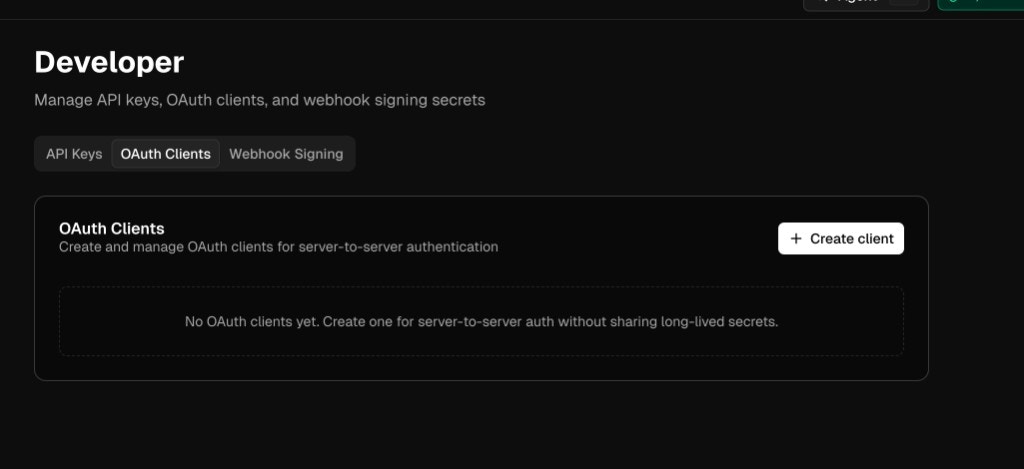
Create a client
- Click Create client
- Enter a Client Name (for example,
my-production-app) - Optionally enter a JWKS URL: a public HTTPS endpoint that serves your JSON Web Key Set
Provide a JWKS URL for automatic key rotation, or leave it blank to upload public keys. You can’t change this after creation.
- Click Create and continue
client_id and opens the client’s detail page.
Register a public key
Pick the flow that matches how you created the client.With a JWKS URL
If you configured a JWKS URL, Sixtyfour fetches your public keys from that endpoint automatically. Validate it at any time:- On the client detail page, click Validate JWKS
- Confirm the health indicator shows a green check and a recent validation timestamp
With an uploaded public key
If you did not set a JWKS URL, generate an RSA key pair and upload the public half:- Click Upload key
- Paste the contents of
public.peminto Public Key (PEM) (including the-----BEGIN PUBLIC KEY-----and-----END PUBLIC KEY-----lines) - Click Upload key
kid). It goes in the JWT header.
Request an access token
Your server signs a short-lived JWT assertion with the private key, then POSTs it to the token endpoint.s4at_. Send it as is; do not parse it. Reuse it until shortly before expires_in runs out instead of requesting a new one per call: POST /oauth/token is rate limited.
Assertion rules
- Sign with
RS256and put a registered key’skidin the header. Assertions with ajku,x5u, orx5cheader are refused. - Set
issandsubto yourclient_id, andaudto the discovery document’sissuer,https://api.sixtyfour.ai. - Set
iatandexpas integers. An assertion can live at most 300 seconds (exp - iat), and Sixtyfour allows 60 seconds of clock skew. - Use a new
jtifor every assertion; each assertion works once.
{"error": "...", "error_description": "..."}. See OAuth token errors.
Call the API
Send the token in theAuthorization header on any Sixtyfour API request:
x-api-key. When a request sends both, the API uses the token. See Authentication.
An OAuth client acts for your organization’s default team. Its tokens see only that team’s workflows, runs and monitors, and count toward that team’s monthly credit limit.
Managing a client
Adjust token TTL
Token TTL sets how long issued access tokens stay valid: the default (1 hour), 1 minute, 5 minutes, 1 hour or 24 hours. The token response’sexpires_in reflects the setting.
Rotate keys
If you configured a JWKS URL, publish the new key in your JWKS document and click Validate JWKS. Sixtyfour can take up to 5 minutes to accept the newkid, so keep signing with the old key until then.
If you uploaded a public key directly, upload the new key, switch your signer to the new kid, then revoke the old key from the Public Keys table.